
How to make one wishlist from different stores
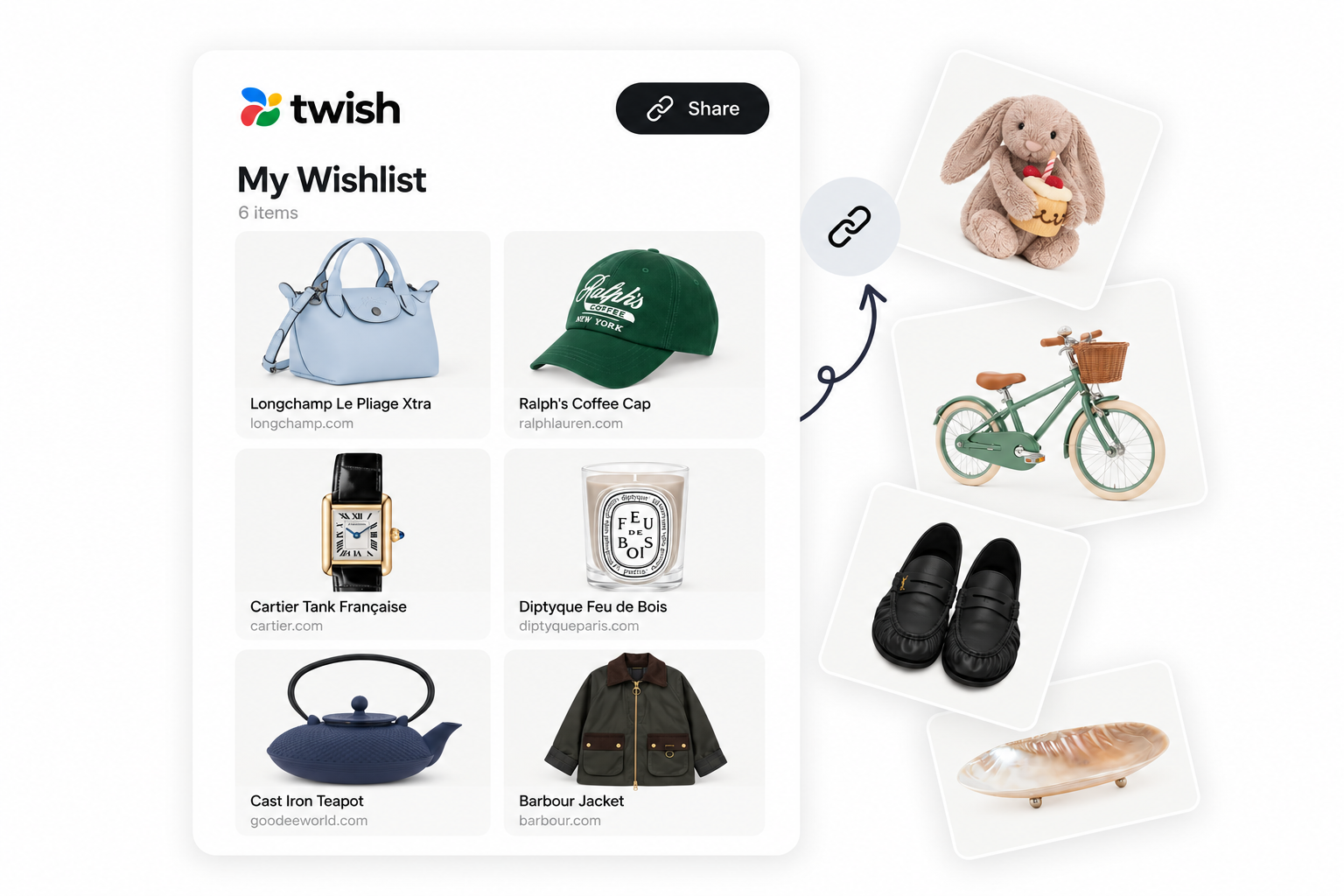
A universal wishlist lets someone save wishes from different retailers in one place, so gift-givers only ever need one link.
6 min read

In short
- Paste a product link from any online store — the title, image and price pull in automatically
- Add an item manually if a link doesn't import cleanly
- There's no limit to how many different retailers one list can hold
- Every wish keeps its own store name, price and link
- Share one URL regardless of how many shops it covers
Most retailer wishlists only show items from that one store. If what you actually want spans a clothing shop, a bookstore and a homeware site, a store-specific list forces a choice: pick one retailer and leave everything else off, or send three separate links for one occasion. A universal wishlist just collapses that back into one place.
Why store-specific lists get fragmented
The moment your wishes come from more than one shop, a single-retailer list starts leaving things out. Gift-givers end up choosing from whichever list they happened to be sent, which means real preferences quietly go missing — not because nobody wanted to buy them, but because there was nowhere for them to live.
Building a universal wishlist
- 1Paste a product link from any online store — Twish pulls in the title, image and price automatically.
- 2Check that the right variant came through, and note the exact size, colour or version if it's not obvious from the link.
- 3If a link doesn't import cleanly, add the item manually with a title, price and photo instead.
- 4Keep going across as many different stores as your actual wishes span — there's no limit to how many retailers one list can hold.
- 5Turn on link access and share the one URL, regardless of how many shops it covers.
Every wish keeps its own store name, price and link, so a gift-giver browsing the list always lands on the right product page — whichever shop it came from.
Importing an existing wishlist
If you already keep a list somewhere with a shareable link, Twish can bring it over as a starting point where that's supported, rather than making you re-add everything by hand. Anything that doesn't transfer cleanly can still be added manually afterward.
Can you make a wishlist from multiple stores?
Yes. Twish lets you save products from different online stores into one wishlist by pasting a product link — there's no limit on how many different retailers a single list can include.
Want to keep everything in one Twish list, starting today? See how Twish's universal wishlist works
Start a universal wishlist
Frequently asked questions
More gift ideas
How to share a wishlist without making it awkward
The right moment, the right message, and one link that works for everyone who gets it.
5 min read
How to make a wishlist people actually use
A simple list is easier to share, easier to shop from and much harder to get wrong.
6 min read
Best wishlist apps: what to look for
What each major wishlist app actually does, fact-checked — not a ranked "best" list.
9 min read