
How to share a wishlist without making it awkward
The awkwardness people worry about usually isn't the wishlist — it's not knowing how to bring it up. A short, casual message solves most of it.
5 min read
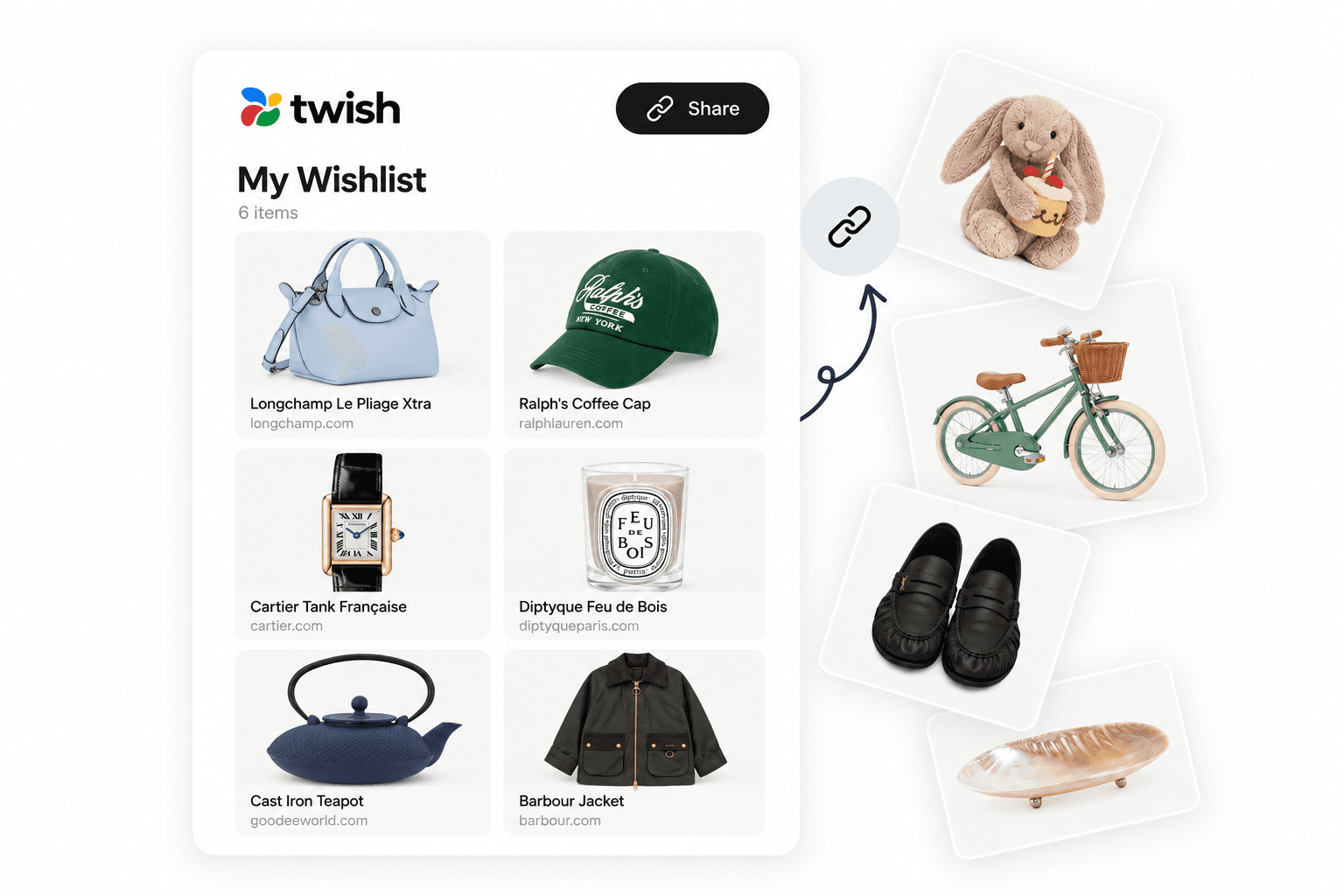
In short
- Share before someone asks, not just when they do
- One link beats a description or screenshot — it stays accurate however it's forwarded
- Keep it set to "Only me" until you're ready, then switch to "anyone with the link"
- No account or download needed for guests to view or reserve
- Frame it as a convenience, not a request — the wording matters more than the mechanics
When sharing a wishlist is useful
Anytime someone's going to ask what you want anyway — before a birthday, ahead of the holidays, when an invitation goes out — sharing a wishlist first just answers the question before it's asked. It's not an announcement, it's a shortcut.
Keeping privacy in mind
A wishlist shouldn't be public by default. "Only me" keeps it visible to nobody but you until you're ready; "anyone with the link" opens it to whoever you actually send it to — without listing it anywhere searchable. Choose the wider setting only when you're about to share it, not before.
Do guests need an account to view a shared wishlist?
No. Anyone with the link can open a shared Twish wishlist, browse it, and reserve a gift using just an email — no account or download required.
Simple ways to actually say it
The message matters more than the mechanics. A few that work without feeling forced:
- "Made a list of a few things I'd love, in case anyone's wondering — no pressure at all: [link]"
- "For anyone asking what I want this year, here's my list: [link]"
- "Sharing this in case it's useful — feel free to ignore it too!"
Make one list. Share one link.
Frequently asked questions
More gift ideas
How to make a wishlist people actually use
A simple list is easier to share, easier to shop from and much harder to get wrong.
6 min read
How to avoid duplicate gifts without ruining the surprise
Two people, one gift, no coordination required — here's what actually prevents duplicates.
5 min read

How to make one wishlist from different stores
One list, every store you actually shop — instead of five separate registries.
6 min read